TL;DR: Some Apple Intelligence processing can work offline; Private Cloud Compute and ChatGPT require a connection. Apple's developer session shows a 32,768-token cloud context, but on-device capacity varies by system and hardware, so one specification cannot describe every iPhone.[4] Check the exact feature, its availability and its processing destination before relying on it away from a network.
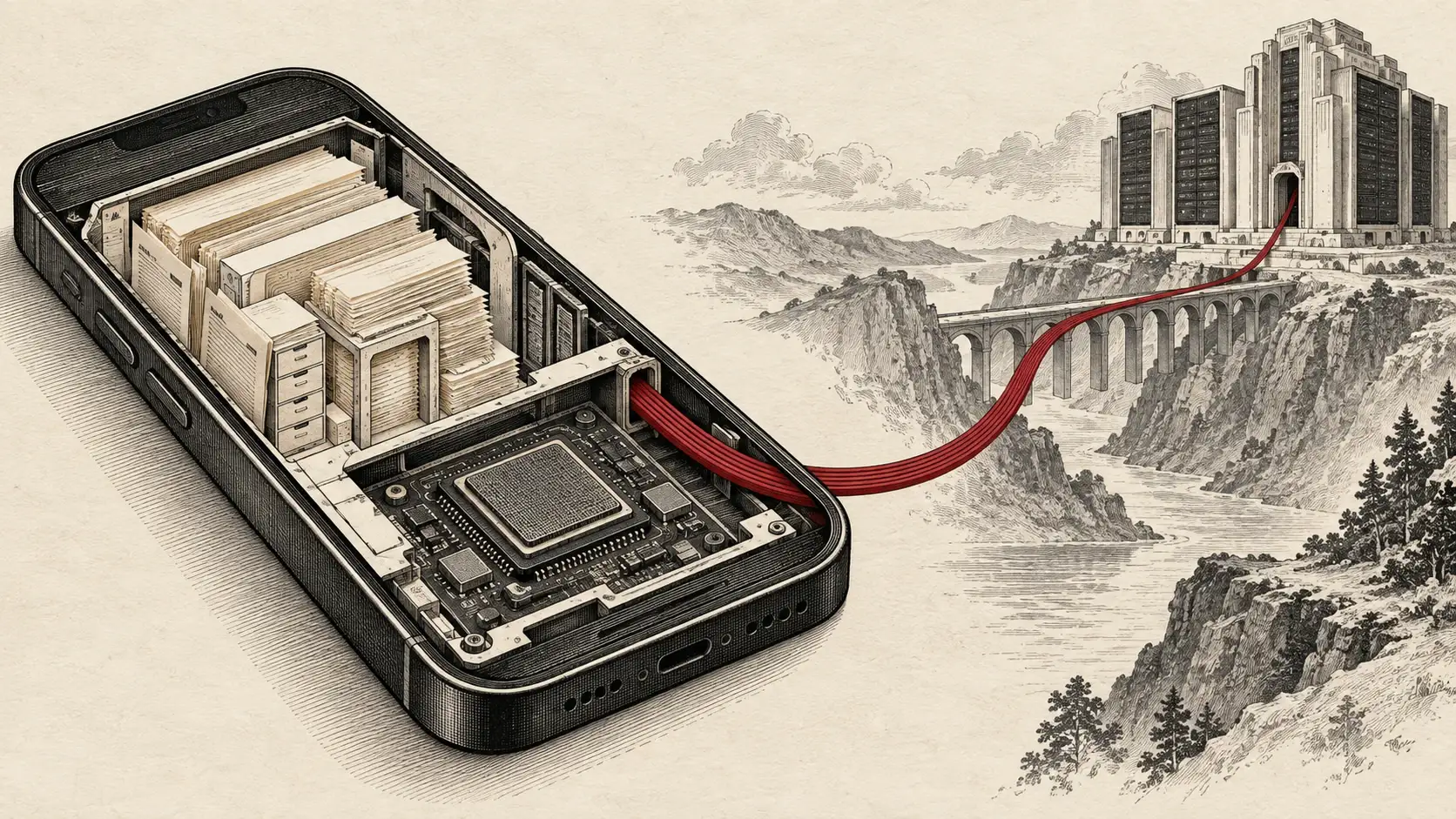
Cover: AI-generated editorial metaphor for local and remote computation, not an Apple architecture diagram or a measured data-flow trace.
A powerful phone chip answers only half the buying question. The other half is whether the task you care about actually runs on that chip. Apple Intelligence combines device processing, Apple's cloud infrastructure and optional external services. A single interface can conceal materially different requirements.
This is a practical reading of Apple's documentation as checked on September 20, 2026, not a new product announcement or our own offline benchmark. Our phone-chip explainer describes the hardware. Here, the question is what happens when the connection disappears.
Why This Matters Now
Apple's developer overview now describes Foundation Models access to both on-device and Private Cloud Compute models, plus compatible external providers. An app using this framework is therefore not automatically an offline app.[10]
Processing: Three Destinations to Separate
Treat the destination as part of the feature, not a footnote. Apple documents local inference and network-dependent PCC as different options for developers. Its ChatGPT extension has a separate privacy policy and controls.[2][6]
| Destination | Connection for inference | What to establish |
|---|---|---|
| On-device model | Apple's framework supports offline inference | Models are ready; the app's other steps do not require a server |
| Private Cloud Compute | Required | Device, region, feature access and remaining quota |
| ChatGPT extension | Required | Extension enabled; account and sharing settings understood |
The table distinguishes processing paths, not a universal routing map for Siri. An app may run its model locally but fetch a document online. Conversely, a downloaded document does not make the model analyzing it local. Ask where the input comes from, where inference runs and where the result is saved.
Follow One Input Through the Whole Workflow
Imagine a travel-expense app extracting fields from a receipt. There are at least four separate jobs: obtain the image, interpret it, validate the extracted values and save the expense. A locally available model addresses only part of that chain. An image stored only in a cloud library, an online exchange-rate lookup or a remote accounting database can prevent completion even when generation itself is local.
Apple's tool-calling documentation explicitly allows app-defined tools to query databases, make web requests and perform actions.[12] A local model calling such a tool does not make that tool local. Our recommendation is to inventory each dependency before attaching an “offline” label to the feature.
| Workflow stage | Question for the app or developer | Useful fallback to evaluate |
|---|---|---|
| Retrieve input | Are the complete bytes available locally? | Download before departure |
| Generate | Which model handles this specific operation? | A smaller, explicitly described local task |
| Validate | Does checking the answer require current external data? | Mark unavailable fields for later verification |
| Save or act | Does completion require a server write? | Save a local draft with a visible pending state |
These are proposed product choices, not claims about any particular Apple app. “Extracted locally, awaiting synchronization” is a more useful status than a success badge that conceals unfinished work.
Offline: Test the Complete Task
Apple's Foundation Models documentation presents the on-device model as usable without a network. That is a framework capability, not a promise that every Apple Intelligence feature finishes in airplane mode. Apple's current developer overview explicitly places Image Playground generation on PCC.[2][10]
Before traveling, use this suggested test protocol, which we have not performed for this article:
- Finish software and language downloads online. Save the document, image or other input locally.
- Record the phone model, OS version, language, app and exact task. Use non-sensitive test material.
- Enable airplane mode and verify Wi-Fi is off in Settings. Airplane mode permits Wi-Fi to be re-enabled, so the airplane icon alone does not establish isolation.[8]
- Try a fresh input, then another. Note successful output, an explicit offline message, a stalled operation or reduced functionality.
- Restore connectivity and repeat. Record the difference without assuming which server was involved.
A failed task identifies an offline dependency, not necessarily cloud inference. A successful one establishes that particular task's behavior under those conditions, not every feature's privacy properties. Test the workflow you need, including opening its source and saving the result.
Test Readiness Separately From Connectivity
Apple documents availability checks and notes that model downloads can take time after Apple Intelligence is enabled.[11] Turning off the network immediately after enabling a feature tests provisioning and offline behavior together. Separate them so a failed download is not mistaken for a permanent cloud requirement.
Use a short record for each attempt: device and OS, app version, languages, model-readiness state, input stored locally, connection state, start time, result and whether saving completed. Keep the same input online and offline, then add a fresh input to reduce the chance of mistaking a previously displayed answer for a new generation.
| Suggested case | What it helps isolate | What it cannot establish |
|---|---|---|
| Ready model, local input, network off | Whether this task finishes without connectivity | Behavior of other features |
| Same input with connectivity restored | Whether connectivity changes the outcome | Which remote dependency mattered |
| Fresh local input, network off | Whether a new task can complete | A complete privacy audit |
| Successful generation, then save and reopen | Whether the result is usable later | Whether later synchronization transmits it |
We have not executed these cases. Repeating them after an OS or app update is part of the proposed procedure, because a result belongs to a particular configuration. Record partial success explicitly: a readable draft and a submitted expense are different outcomes.
Private Cloud Compute: Private Still Means Remote
Apple describes PCC as server processing with specific technical protections: requests are encrypted to verified compute nodes, and request data is removed after the response. Its security design relies on protected hardware, restricted software and verifiable server identity. Those are Apple's documented architecture claims, not an independent audit conducted by LLM Rumors.[5]
For developers, PCC access has eligibility requirements and a daily request allowance. Apple recommends checking availability and handling exhausted quotas explicitly. Offline fallback requires application logic; the documentation does not establish that every Siri operation automatically falls back to a local model.[2]
What's often overlooked is the buying implication: faster local hardware cannot remove a remote service's access limit. Connection, quota and local computation are separate constraints. Diagnose the constraint before treating another phone upgrade as the answer.
Make Failure States Visible
A useful application should distinguish “model unavailable,” “network unavailable,” “daily allowance exhausted,” “input too large” and “tool failed.” These conditions suggest different remedies. Downloading a model might address readiness; reconnecting might address a remote dependency. Neither necessarily fixes an exhausted quota or oversized context.
Our recommended fallback policy is to state the changed service before continuing. If a remote long-document analysis becomes a local extraction of selected fields, tell the reader what was omitted. Do not silently return a shorter answer under the same promise. If no suitable local path exists, preserve the input as a draft and explain what is needed to resume. A fallback that changes capability is a product decision, not just an exception handler.
Context: Read the Version Before the Number
Apple's context guide documents a 4,096-token default on-device session. Instructions, tool descriptions, inputs and generated responses all consume that space. It also exposes a runtime context-size query.[3]
The WWDC26 code example shows 4,096 on version 26.0, 8,192 on version 27.0 for newer devices, and 32,768 for PCC. These are Apple's developer examples, not measured Siri conversation limits or a complete device-compatibility table.[4]
The practical consequence is narrower than “cloud is better.” A short extraction may fit locally; a large document can require chunking, a different model or a remote path. Context capacity measures what fits in a session. It does not establish answer quality, speed or unlimited conversation memory.
Build a Token Budget That Includes the Answer
Consider a hypothetical app with a 4,096-token session budget. The allocations below are invented planning figures, not measured token counts for a document or a specific phone. Count the actual serialized content with the framework rather than converting pages or words into guaranteed capacity.
| Hypothetical allocation | Tokens |
|---|---|
| Instructions | 500 |
| Tool definitions and output schema | 400 |
| Document and request | 2,450 |
| Reserved response | 600 |
| Total planned use | 3,950 |
| Remaining margin | 146 |
Now add a 700-token follow-up transcript: planned use reaches 4,650, exceeding the example budget by 554. The original document still has the same length. The conversation is what changed. Apple's context guide counts tool material and generated content as well as the prompt, and provides token-count and context-size queries.[3]
A larger window buys room; it does not decide which information matters. For extraction, keep the required fields and relevant passages. For document summarization, a chunking plan should preserve section identifiers and distinguish a source quotation from the model's own summary. Otherwise a later synthesis can lose the caveat attached to a number.
Treat compressed history as a new input requiring review. In our proposed receipt workflow, retain the original amount, currency and source reference outside the model's prose summary. If an output is incomplete, do not accept half a structured record merely because some fields look plausible. These checks protect the task's meaning when adapting it to a smaller model.
Verification: Use the PCC Report and Check ChatGPT Separately
Under Settings → Privacy & Security → Apple Intelligence Report, Apple offers 15 minutes or 7 days of reporting. Export Activity creates Apple_Intelligence_Report.json. Apple warns the report can be empty when no PCC requests have occurred since changing its duration.[1]
Choose the window before reproducing a task and inspect the export afterward. This is evidence about reported PCC requests, not a complete network audit. An empty report does not prove that no third-party service, web retrieval or unrelated app transmitted data.
The ChatGPT extension is off by default. Explicitly asking ChatGPT can send a request directly; Siri's confirmation behavior is configurable. Without an account, Apple's terms prohibit training and generally prohibit retention except where legally required. With an account, account settings and OpenAI policies apply. Do not extend PCC's guarantees to that separate arrangement.[6]
Separate an Observation From a Privacy Conclusion
| Observation | Narrow conclusion | Conclusion to avoid |
|---|---|---|
| A PCC request appears in the chosen reporting interval | The report records PCC activity in that interval | Every step of the task used PCC |
| No PCC entry appears | No PCC activity is shown by that export | No app or external provider transmitted data |
| The task succeeds with connectivity disabled | That tested workflow can complete under those conditions | Every feature is permanently local |
| ChatGPT sharing is disabled | That extension setting has been changed | Every network path in every app is disabled |
This is an interpretation guide, not a description of additional report fields. Record the task's start and finish times before comparing activity. Several background or foreground tasks in the same interval can make attribution ambiguous. The exported report should be treated as potentially sensitive diagnostic material, not casually pasted into a public support thread.
For a consequential use case, decide the acceptable processing destination first, then select the feature. An offline success test answers an availability question. A service policy answers a different question about remote handling. Neither substitutes for the other.
Availability: Language and Region Come First
Apple's September 14 requirements list German among supported Apple Intelligence languages, but support varies by feature and region. Device and Siri languages must match a supported language; changing languages may require another download. Some server-dependent features have daily limits whose size can vary.[7]
Siri AI is a separate availability question. Apple's current guide lists it in English and says it is unavailable on iOS, iPadOS and watchOS in the EU. It describes EU access on macOS 27 and visionOS 27 with the Apple Account region set to an EU country and both device and Siri languages set to English. German Apple Intelligence support therefore does not imply German-language Siri AI availability.[9]
The Setting Is Not the Guarantee
An enabled AI feature, a fast chip and an empty PCC report answer different questions. Establish the exact task's offline behavior and processing destination separately.
The real story isn't whether an iPhone has “AI.” It is whether the requested job remains useful under the connection, language and access conditions you actually have. Buy for that workflow. A feature you cannot reach is not a capability you can rely on.
Sources & References
Key sources and references used in this article
| # | Source | Outlet | Date | Key Takeaway |
|---|---|---|---|---|
| 1 | Apple Support | Checked Sep 20, 2026 | PCC reporting windows and export instructions. | |
| 2 | Apple Developer | Checked Sep 20, 2026 | Offline local model, network-dependent PCC, eligibility and quota handling. | |
| 3 | Apple Developer | Checked Sep 20, 2026 | 4,096-token default documentation and runtime context-size lookup. | |
| 4 | Apple Developer | WWDC26 | Version-aware context examples; developer models are not Siri specifications. | |
| 5 | Apple Security Research | June 10, 2024 | Original architecture and documented request-protection design. | |
| 6 | Apple | September 14, 2026 | Separate account, confirmation and data-processing rules. | |
| 7 | Apple Support | September 14, 2026 | Device, language, region and feature-specific usage requirements. | |
| 8 | Apple Support | February 11, 2026 | Wi-Fi can be used while airplane mode is enabled. | |
| 9 | Apple Support | September 14, 2026 | English availability and different EU restrictions by platform. | |
| 10 | Apple Developer | Checked Sep 20, 2026 | Multiple model destinations and current Image Playground cloud processing. | |
| 11 | Apple Developer | Checked Sep 20, 2026 | Model availability and download readiness are separate from network testing. | |
| 12 | Apple Developer | Checked Sep 20, 2026 | App-defined tools can query databases, make web requests and perform actions. |
Last updated: September 20, 2026